Pricing
Pricing
Start with the free plugin. Every Pro plan includes every Pro module — plans differ only in the number of sites and how long they run.
Choose your plan
Free
$0.00 forever
Unlimited sites
- Firewall, scanner, 2FA and passkeys
- Brute-force, CAPTCHA and signup protection
- GPL-licensed, on WordPress.org
Pro Monthly
$19.00 /month
1 site
- Every Pro module
- Signed cloud data: malware signatures, firewall rules, vulnerabilities, threat intel, GeoIP
- Pro updates while the license is active
- Free protection keeps running if it lapses
14-day refund window. If a license lapses, Free protection keeps running and nothing is deleted.
What happens when my license expires? Free protection keeps running and nothing is deleted — Pro modules pause until you renew (14-day grace period if our server is unreachable). 14-day refund window.
How it works
From free to Pro without reinstalling anything
-
Install Coxwall Free
From Plugins → Add New. The five-step wizard turns on the firewall, scanner and login protection in about three minutes.
-
Choose a Pro plan
Your key arrives in the order email and under My Account → Coxwall licenses the moment payment is confirmed.
-
Pro installs itself
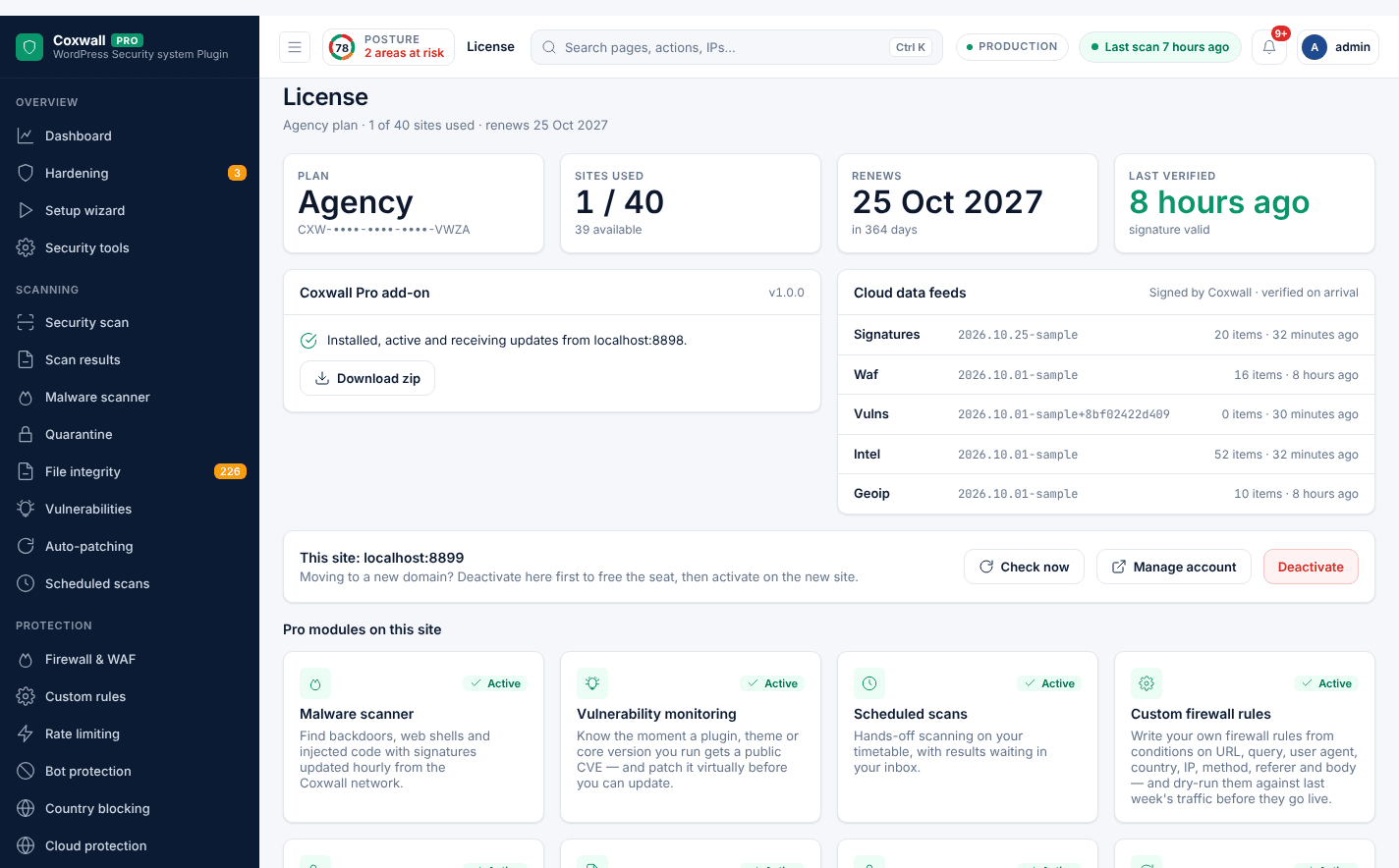
In Coxwall → License, sign in or paste the key. The site activates, installs Pro and unlocks every Pro screen — settings and logs are kept.
Free vs Pro
Compare every feature
Pro adds to Free — it never replaces it.
| Feature | Free | Pro |
|---|---|---|
| Overview | ||
| Security dashboard See your security posture, attacks blocked and what to fix next on one screen. | ||
| Hardening checklist Close common WordPress weak spots with safe one-click fixes. | ||
| Setup wizard Five steps, about three minutes, and the site is protected. | ||
| Security tools One-off fixes: fresh keys, a safer admin username, permissions and leftovers. | ||
| Scanning | ||
| Security scan A 17-stage scan for malware, backdoors and tampering. | ||
| Malware scanner Find backdoors, web shells and injected code with signatures updated hourly from the Coxwall network. | Local heuristic scan (45 signatures) | Cloud signatures, deep scan, quarantine vault |
| File integrity monitoring Know exactly which core, plugin and theme files changed. | ||
| Vulnerability monitoring Know the moment a plugin, theme or core version you run gets a public CVE — and patch it virtually before you can update. | ||
| Auto-patching Automatically update plugins and themes the moment a security fix for a known vulnerability is released. | ||
| Scheduled scans Hands-off scanning on your timetable, with results waiting in your inbox. | ||
| Protection | ||
| Web application firewall Blocks attacks before WordPress even loads. | ||
| Custom firewall rules Write your own firewall rules from conditions on URL, query, user agent, country, IP, method, referer and body — and dry-run them against last week's traffic before they go live. | Shipped rule set (29 rules) | Your own rules with dry run |
| Rate limiting Throttle scrapers, credential stuffers and aggressive crawlers without slowing real visitors. | ||
| Bot protection Stop fake Googlebots, vulnerability scanners and content scrapers while verified crawlers pass untouched. | ||
| Country blocking Block or allow whole countries before WordPress even loads. | Country login rules (via CDN headers) | Country blocking before WordPress, GeoIP database included |
| Cloud protection Block IPs flagged by the Coxwall reputation feed and push blocks to your CDN edge. | ||
| Form protection Stop bots on login, sign-up, comments and WooCommerce forms. | ||
| Security headers Content-Security-Policy builder with report-only testing, plus every modern browser hardening header. | ||
| Emergency lockdown One switch during an incident: freeze logins, file changes and admin access until you are safe. | ||
| Traffic & intel | ||
| Live traffic Watch every request the firewall sees in real time, with one-click blocking. | Last 24 hours of logs | Real-time stream, 90 days of history |
| Security logs (24 hours) Every firewall event from the last 24 hours. | ||
| Threat intel See what attackers are doing across the Coxwall network and which of it targets you. | ||
| Reports Client-ready security reports, emailed weekly or monthly. | ||
| Access control | ||
| Login security & 2FA Two-factor authentication and a hidden login URL. | ||
| Brute-force protection Lock out password guessers on every login endpoint. | ||
| Passwordless login Sign in with an email link, a one-time code or a passkey. | ||
| Passkeys (WebAuthn) Face ID, Touch ID, Windows Hello or a security key instead of passwords. | ||
| Verification & OTP One-time codes by email, SMS, WhatsApp and Telegram. | ||
| Risk-based authentication Score every sign-in and challenge only the risky ones. | ||
| Signup protection Keep fake and duplicate accounts out of your site. | ||
| Password security Strong, unbreached passwords for every role. | ||
| User audit Find dormant admins, risky roles and accounts that should not exist. | ||
| IP manager Block or allow addresses and ranges, with expiry. | ||
| Active sessions See who is signed in, where, and sign anyone out. | ||
| Audit log Who changed what, and when. | ||
| Automation & account | ||
| Notifications Security alerts by email, Slack, webhook or Telegram. | ||
| SMS & messaging gateways 15 built-in gateways for SMS, WhatsApp and Telegram codes. | ||
| Uptime & blocklist monitoring Coxwall checks your site from outside every few minutes and watches blocklists, SSL and DNS. | ||
| Backups Verified database and file backups you can restore in one click after an incident. | ||
| Performance See exactly what security costs you per request, and tune it. | ||
| Diagnostics See exactly what your server supports and what needs attention. | ||
FAQ
Billing & license questions
Is Coxwall really free?
Yes. The Free plugin is GPL-licensed on WordPress.org. Its 23 features — firewall with 29 rules, 17-stage scan, passkeys, 2FA, brute-force protection — never expire and need no account.
What does Pro add?
18 modules that need our cloud: hourly malware signatures, vulnerability alerts with virtual patching, rate limiting, bot and country blocking, live traffic, threat intel, reports, backups, uptime monitoring and more.
Do I have to reinstall anything to upgrade?
No. Open Coxwall → License in wp-admin, sign in or paste your key, and Pro downloads and installs itself. Settings and logs are kept.
What happens when my license expires?
Free protection keeps running and nothing is deleted. Pro modules pause and cloud data stops updating until you renew. If our server is unreachable, you get a 14-day grace period.
How many sites can I use a license on?
Each plan includes a number of site activations. Deactivate a site any time under My Account → Coxwall licenses to move the license.
What is your refund policy?
Ask for a refund within 14 days of purchase. Refunded license keys are revoked automatically and the Free plugin keeps protecting those sites.
Will the firewall slow my site down?
It inspects each request with precompiled rules before WordPress loads, typically in about a millisecond. Pro’s Performance screen measures the overhead on your real traffic.
What if I lock myself out?
Add define( 'COXWALL_DISABLE_WAF', true ); or define( 'COXWALL_DISABLE_LOGIN_SLUG', true ); to wp-config.php. The firewall also refuses to block your own IP address.