WordPress security plugin
Stop attacks before WordPress even loads.
Coxwall puts a firewall in front of WordPress, scans every file and secures logins with passkeys and 2FA — free, with Pro cloud protection when you need it.
- 14-day refund
- Instant license delivery
- Secure checkout
- GPL licensed
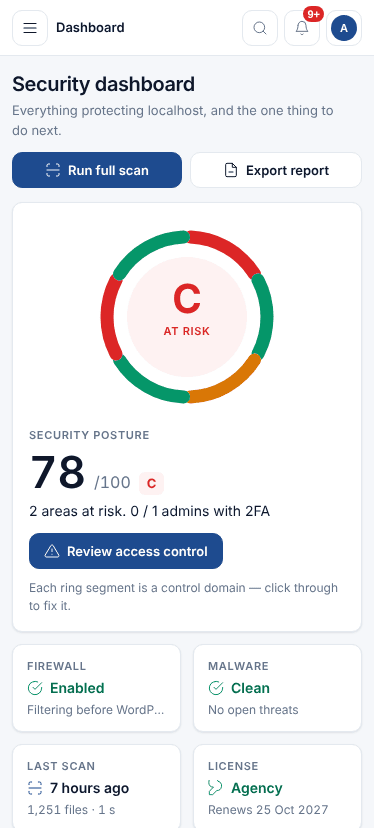
Built from the plugin’s source
- 29
- firewall rules in Free
- 17
- scan stages
- 20
- hardening checks
- 15
- SMS & messaging gateways
- 23
- Free features
- 18
- Pro modules
Features
Everything a WordPress site needs to stay clean
Free features work forever. Pro adds the modules that need our cloud.
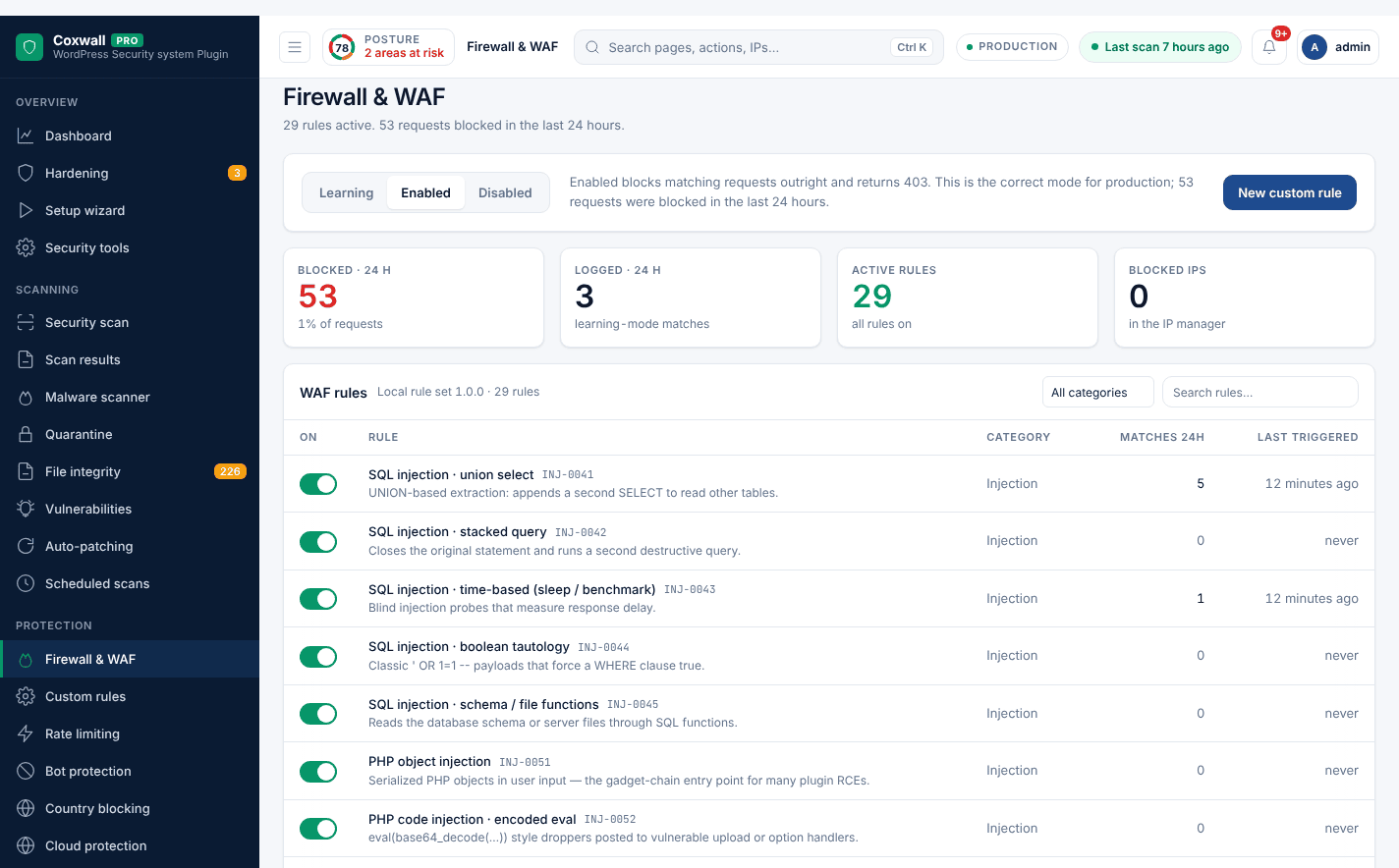
Blocks attacks before WordPress even loads
29 precompiled rules run as a must-use plugin, so injection, XSS and path probes are answered with a 403 in about a millisecond.
-
Web application firewall Free Blocks attacks before WordPress even loads.
-
Rate limiting Pro Throttle scrapers, credential stuffers and aggressive crawlers without slowing real visitors.
-
Country blocking Pro Block or allow whole countries before WordPress even loads.
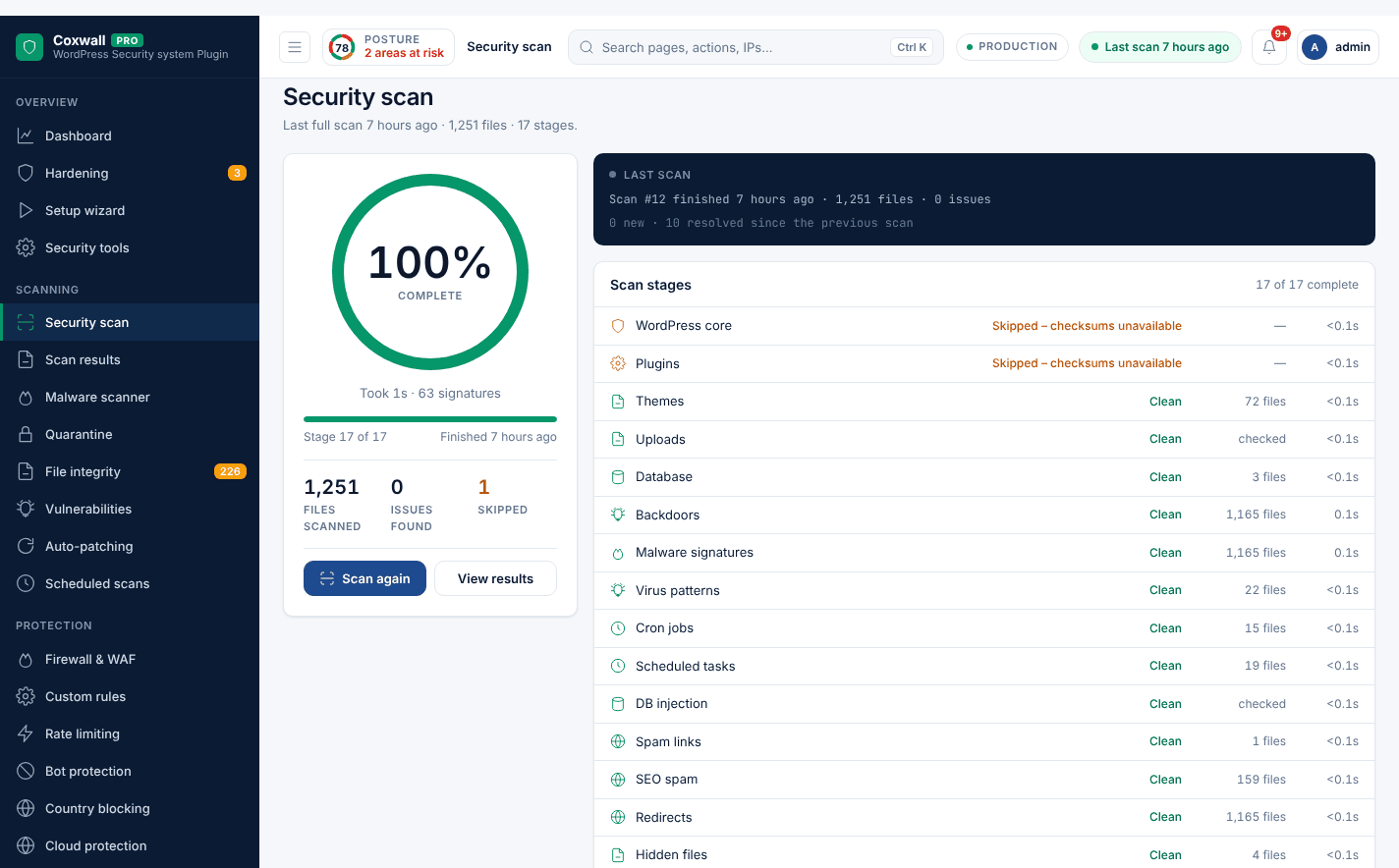
17 scan stages, from core checksums to JavaScript malware
Every file is compared with official checksums, searched for backdoors and web shells, and tracked for changes between scans.
-
Security scan Free A 17-stage scan for malware, backdoors and tampering.
-
Malware scanner Pro Find backdoors, web shells and injected code with signatures updated hourly from the Coxwall network.
-
Vulnerability monitoring Pro Know the moment a plugin, theme or core version you run gets a public CVE — and patch it virtually before you can update.
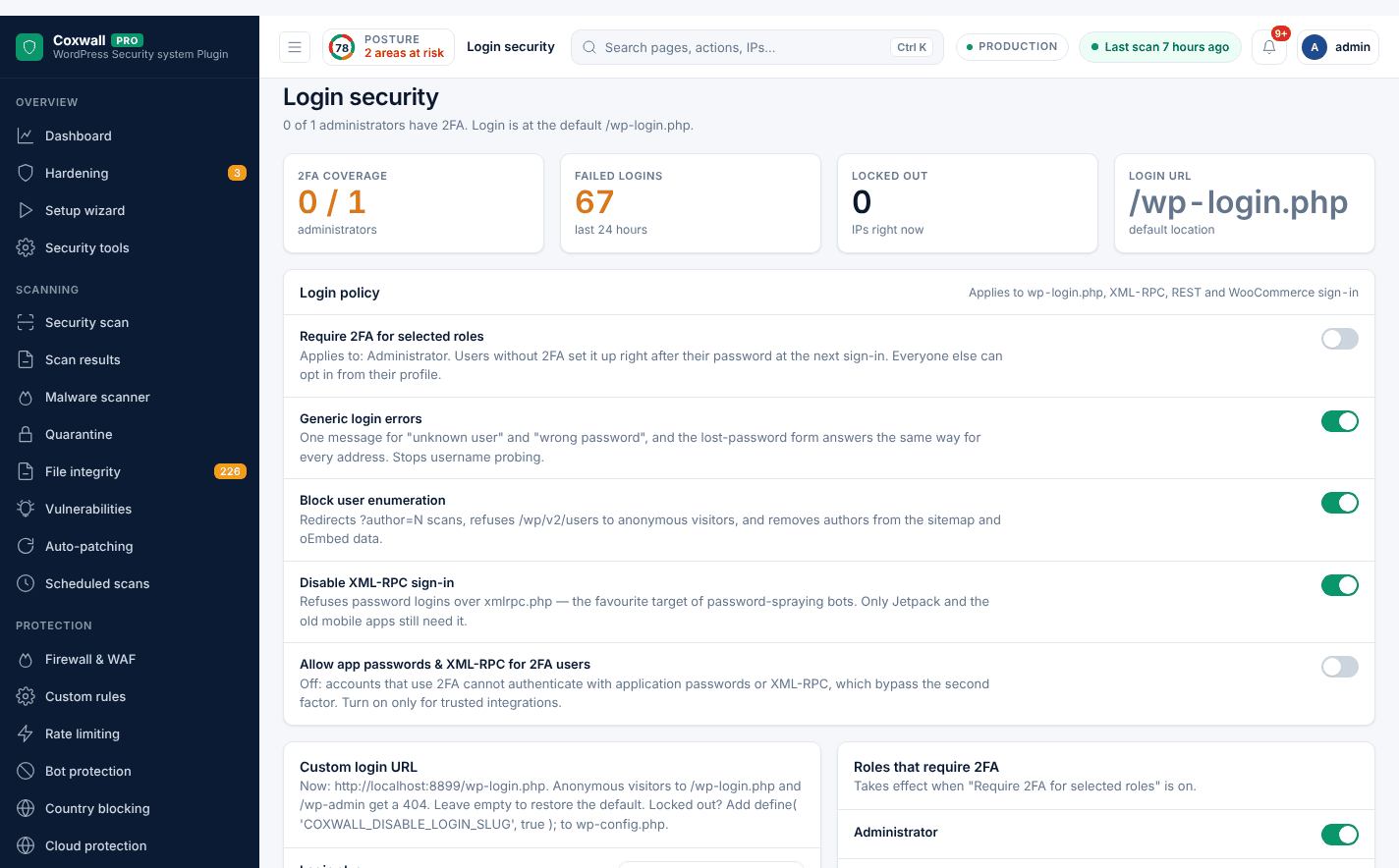
Passkeys, two-factor and brute-force protection — free
Sign in with Face ID, Touch ID or a security key, require 2FA for administrators, and lock out password guessers on every endpoint.
-
Passkeys (WebAuthn) Free Face ID, Touch ID, Windows Hello or a security key instead of passwords.
-
Login security & 2FA Free Two-factor authentication and a hidden login URL.
-
Brute-force protection Free Lock out password guessers on every login endpoint.
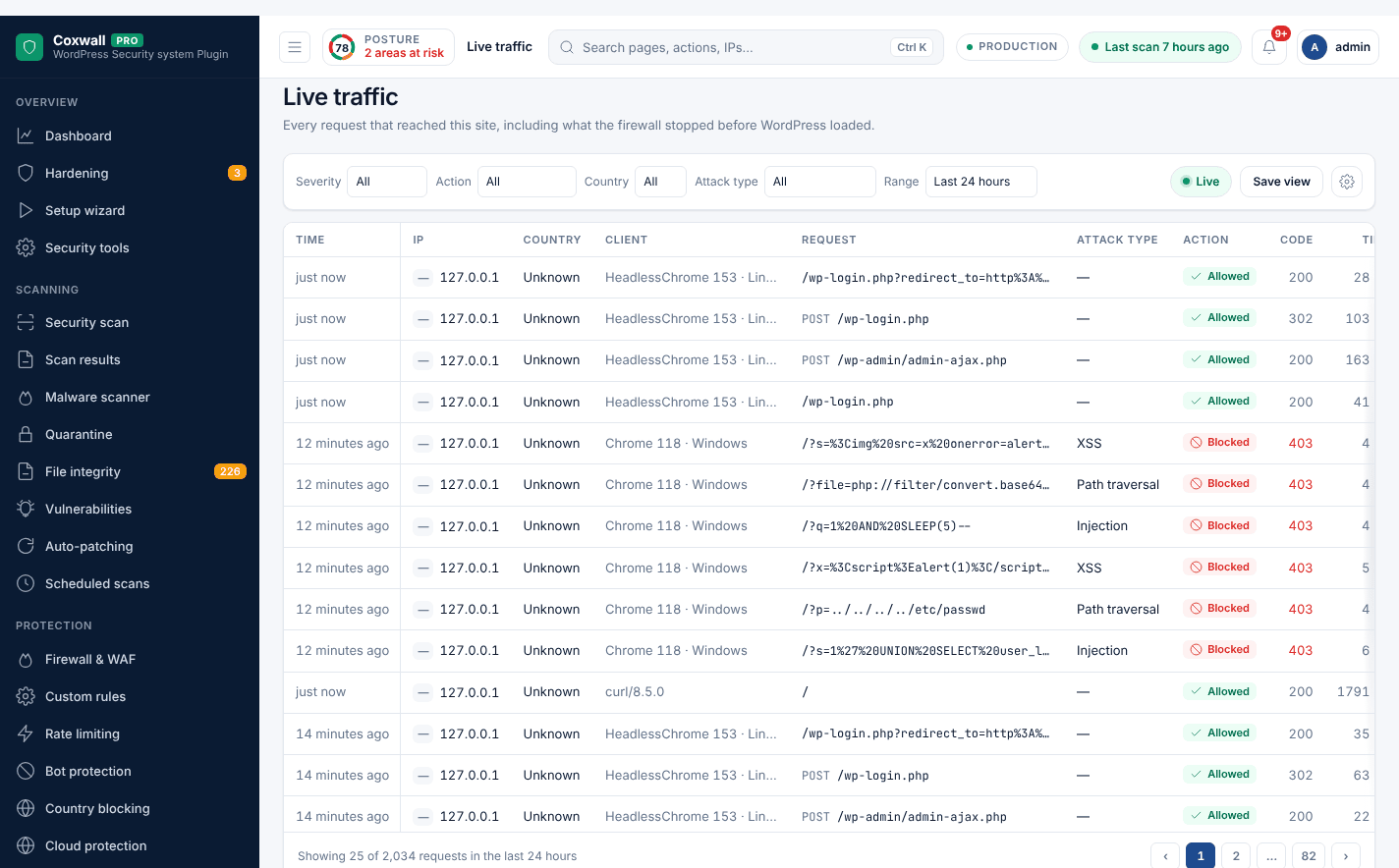
See every request, and what the firewall did with it
Live traffic with one-click blocking, reputation data from the Coxwall network and client-ready reports.
-
Live traffic Pro Watch every request the firewall sees in real time, with one-click blocking.
-
Threat intel Pro See what attackers are doing across the Coxwall network and which of it targets you.
-
Reports Pro Client-ready security reports, emailed weekly or monthly.
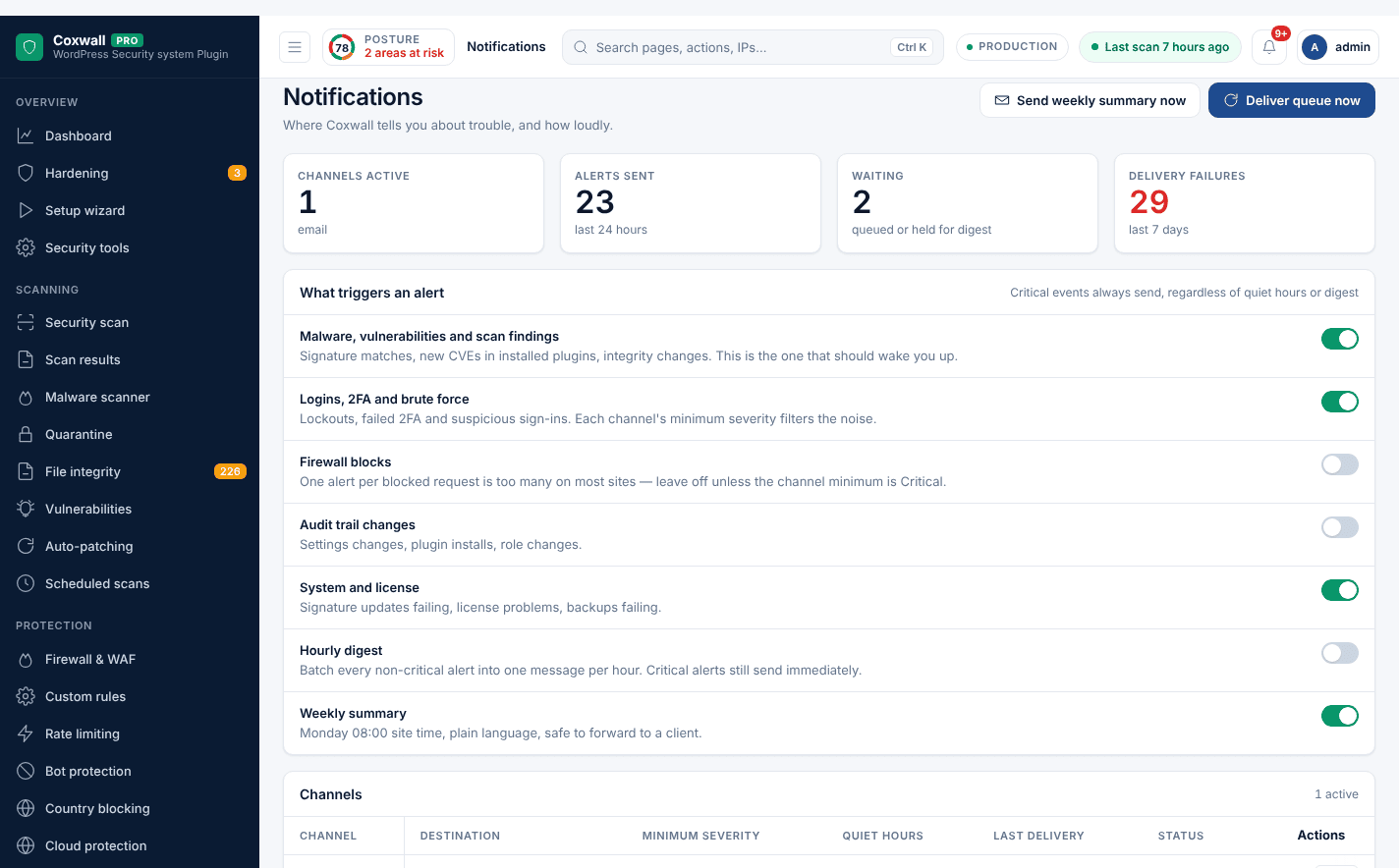
Hear about trouble the moment it starts
Alerts by email, Slack, webhook or Telegram, outside-in uptime and blocklist checks, and verified backups you can restore in one click.
-
Notifications Free Security alerts by email, Slack, webhook or Telegram.
-
Uptime & blocklist monitoring Pro Coxwall checks your site from outside every few minutes and watches blocklists, SSL and DNS.
-
Backups Pro Verified database and file backups you can restore in one click after an incident.
Pricing
Start free. Upgrade when you need the cloud.
Every Pro plan includes every Pro module. Plans differ only in the number of sites and how long they run.
Free
$0.00 forever
Unlimited sites
- Firewall, scanner, 2FA and passkeys
- Brute-force, CAPTCHA and signup protection
- GPL-licensed, on WordPress.org
Pro Monthly
$19.00 /month
1 site
- Every Pro module
- Signed cloud data: malware signatures, firewall rules, vulnerabilities, threat intel, GeoIP
- Pro updates while the license is active
- Free protection keeps running if it lapses
14-day refund window. If a license lapses, Free protection keeps running and nothing is deleted.
What happens when my license expires? Free protection keeps running and nothing is deleted — Pro modules pause until you renew (14-day grace period if our server is unreachable). 14-day refund window.
FAQ
Questions, answered
Is Coxwall really free?
Yes. The Free plugin is GPL-licensed on WordPress.org. Its 23 features — firewall with 29 rules, 17-stage scan, passkeys, 2FA, brute-force protection — never expire and need no account.
What does Pro add?
18 modules that need our cloud: hourly malware signatures, vulnerability alerts with virtual patching, rate limiting, bot and country blocking, live traffic, threat intel, reports, backups, uptime monitoring and more.
Do I have to reinstall anything to upgrade?
No. Open Coxwall → License in wp-admin, sign in or paste your key, and Pro downloads and installs itself. Settings and logs are kept.
What happens when my license expires?
Free protection keeps running and nothing is deleted. Pro modules pause and cloud data stops updating until you renew. If our server is unreachable, you get a 14-day grace period.
How many sites can I use a license on?
Each plan includes a number of site activations. Deactivate a site any time under My Account → Coxwall licenses to move the license.
What is your refund policy?
Ask for a refund within 14 days of purchase. Refunded license keys are revoked automatically and the Free plugin keeps protecting those sites.
Will the firewall slow my site down?
It inspects each request with precompiled rules before WordPress loads, typically in about a millisecond. Pro’s Performance screen measures the overhead on your real traffic.
What if I lock myself out?
Add define( 'COXWALL_DISABLE_WAF', true ); or define( 'COXWALL_DISABLE_LOGIN_SLUG', true ); to wp-config.php. The firewall also refuses to block your own IP address.
Protect your site with Coxwall today
Install the free plugin in a minute. Upgrade to Pro whenever you want — it installs itself.
- 14-day refund
- Instant license delivery
- Secure checkout
- GPL licensed